See what each holding contributed.
View leading profitable holdings as separate layers. Check the ranking to see which companies contributed.
 Catfolio
iPhone iPad Mac
Catfolio is a multi-broker investment portfolio tracker for iPhone, iPad and Mac.
Bring supported accounts together. Track holdings and understand returns.
A little clarity for your investments.
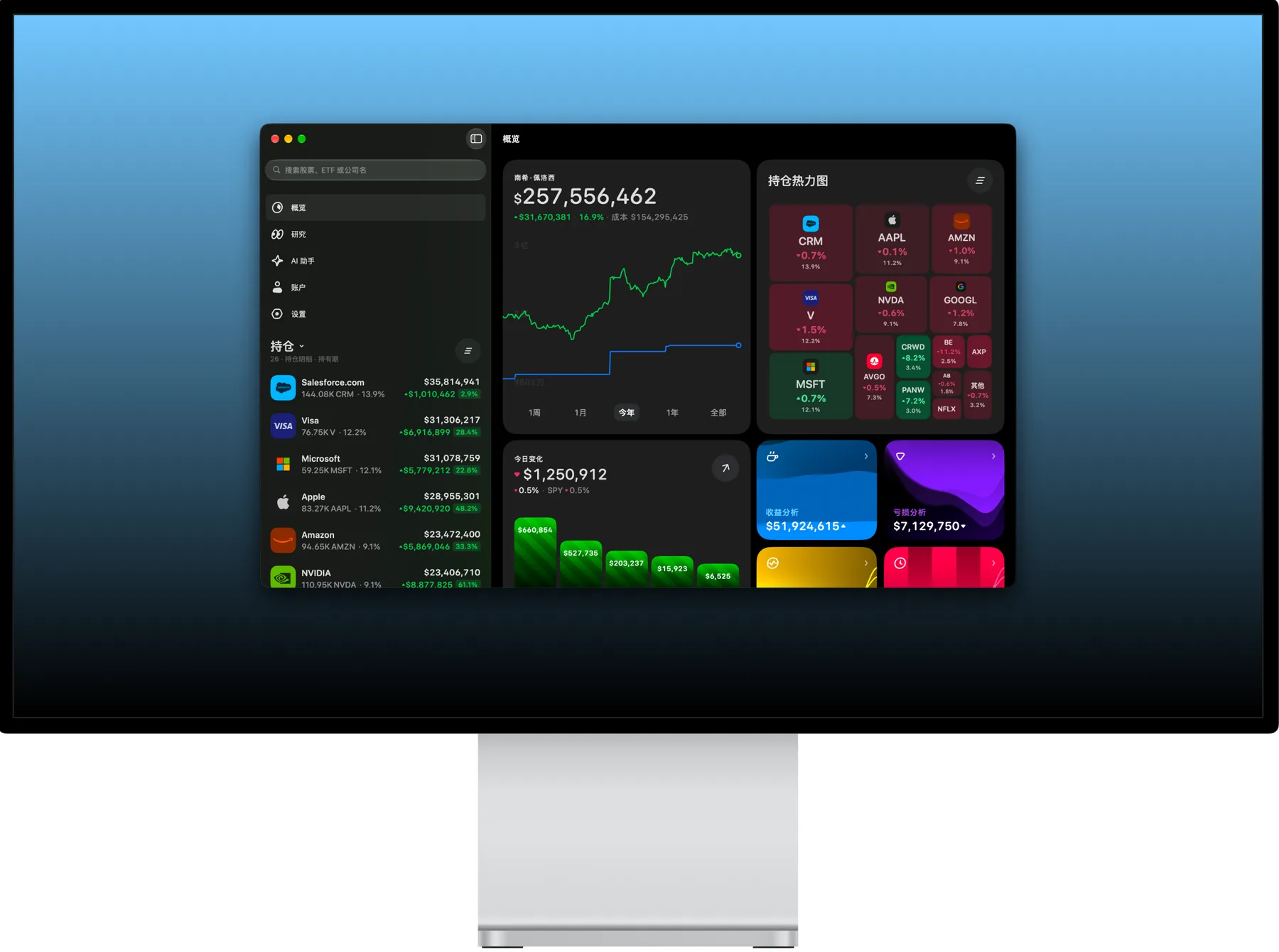
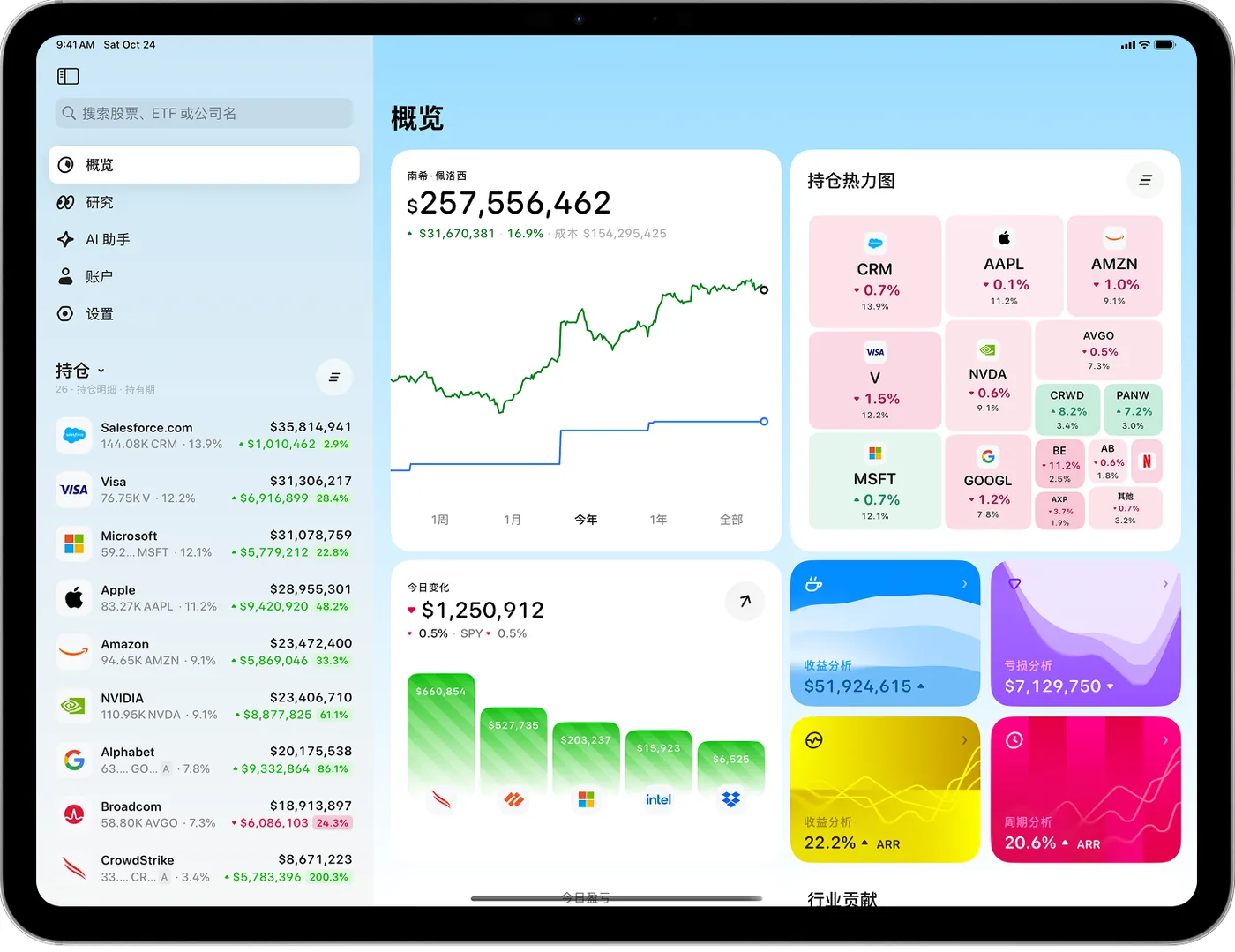
iPhone, iPad, and Mac · English & ChineseSidebar, holdings, and overview, all at once.
Use Codex or Claude Code to access your holdings, returns, and market research data through Catfolio MCP.
With Catfolio as your data foundation, easily build your own professional investment research platform.
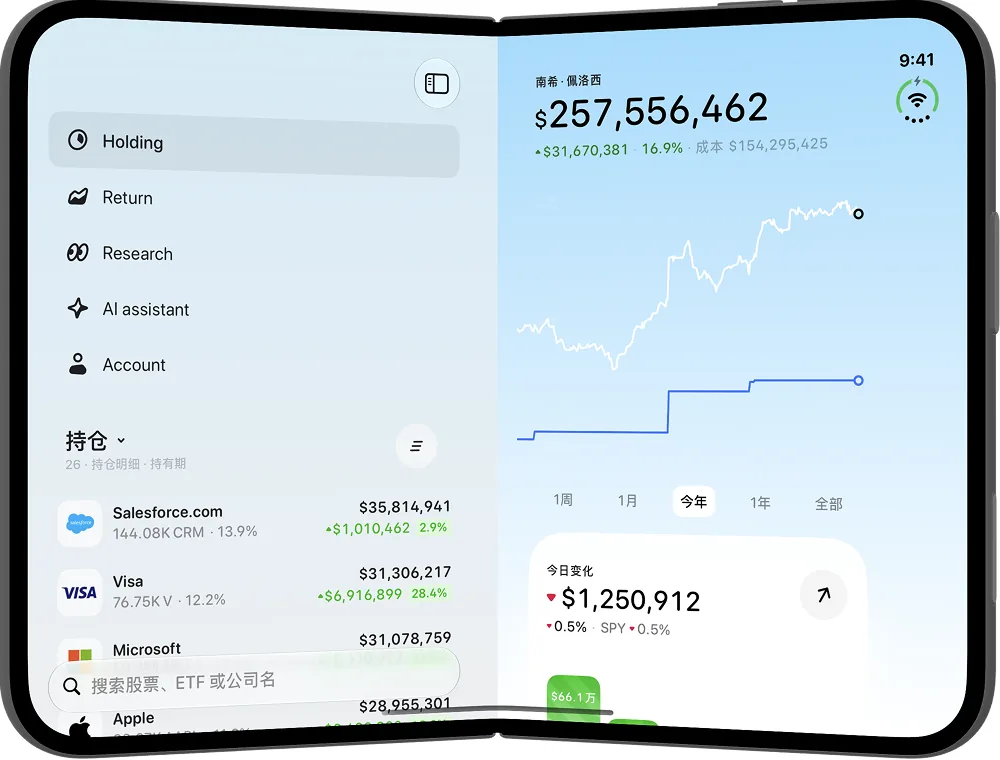
Unfolded, the sidebar sits beside the chart. iPad opens the full overview.
Accounts, returns, research and daily records.
Everything comes together in one app.
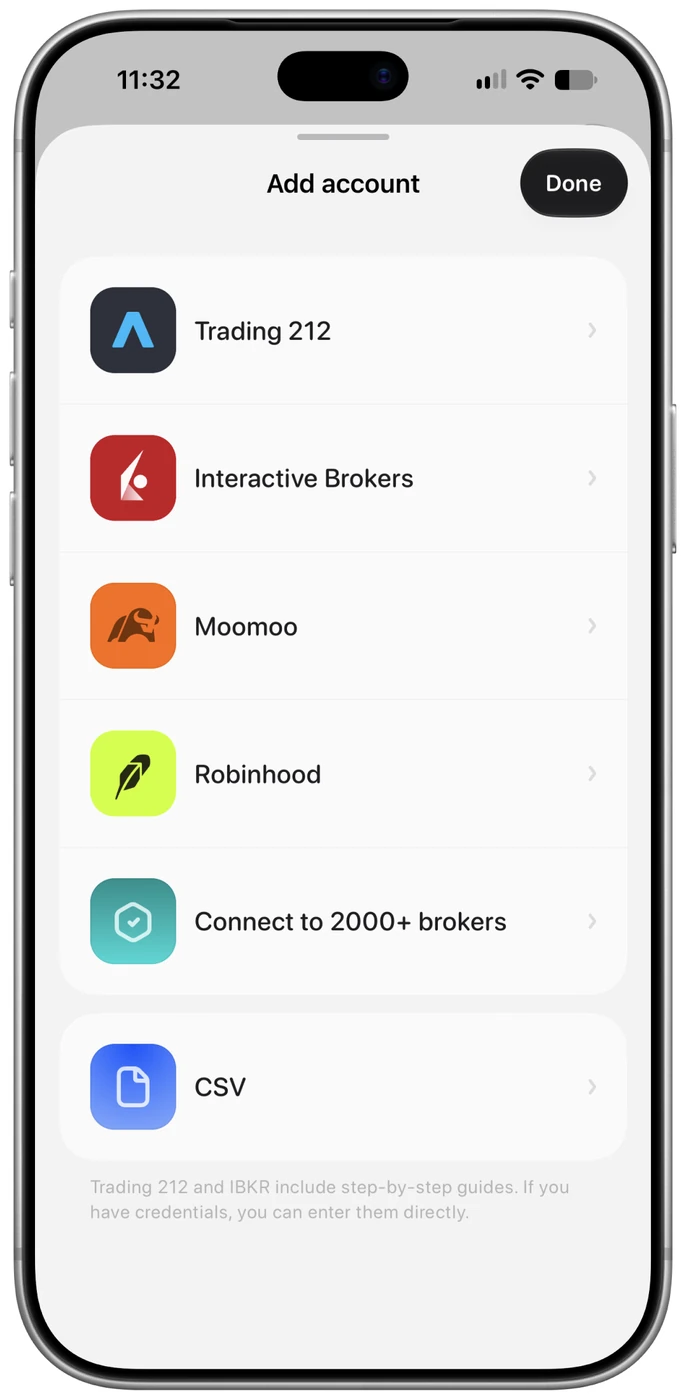
Connect a supported broker or import a CSV. Bring your holdings together, then switch to an individual account whenever you need.
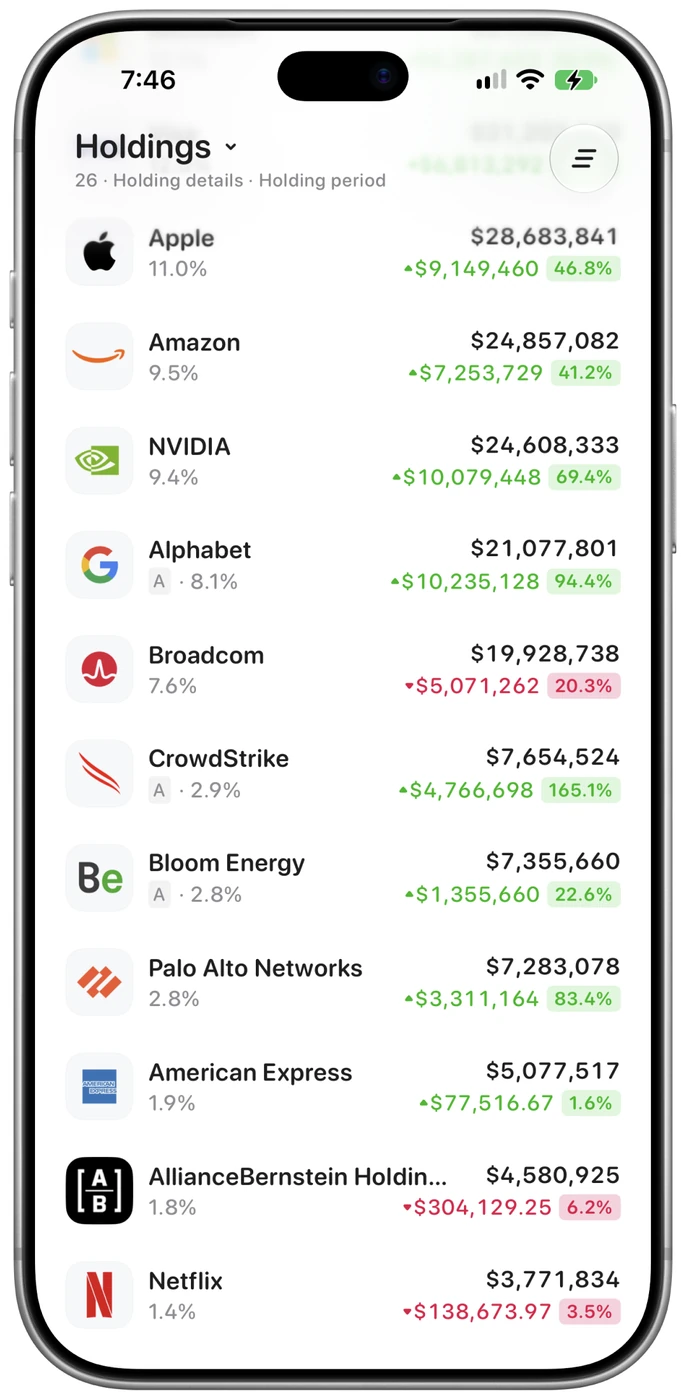
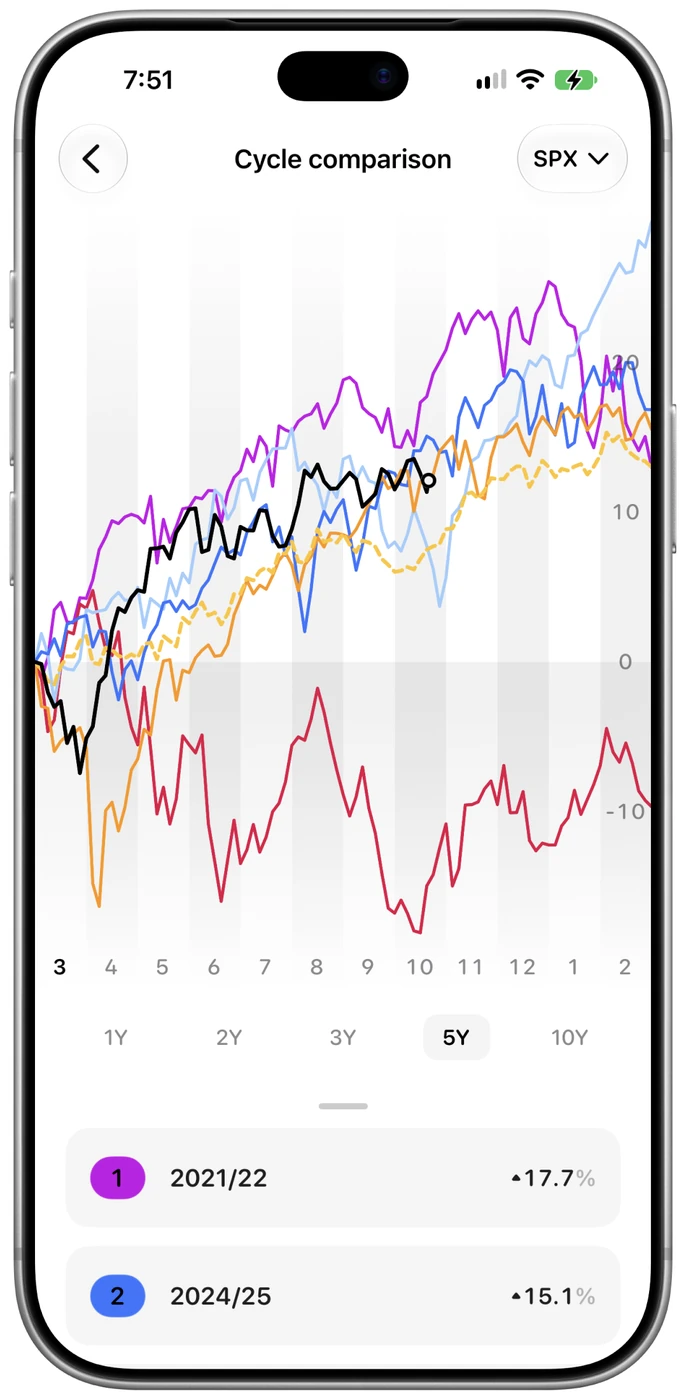
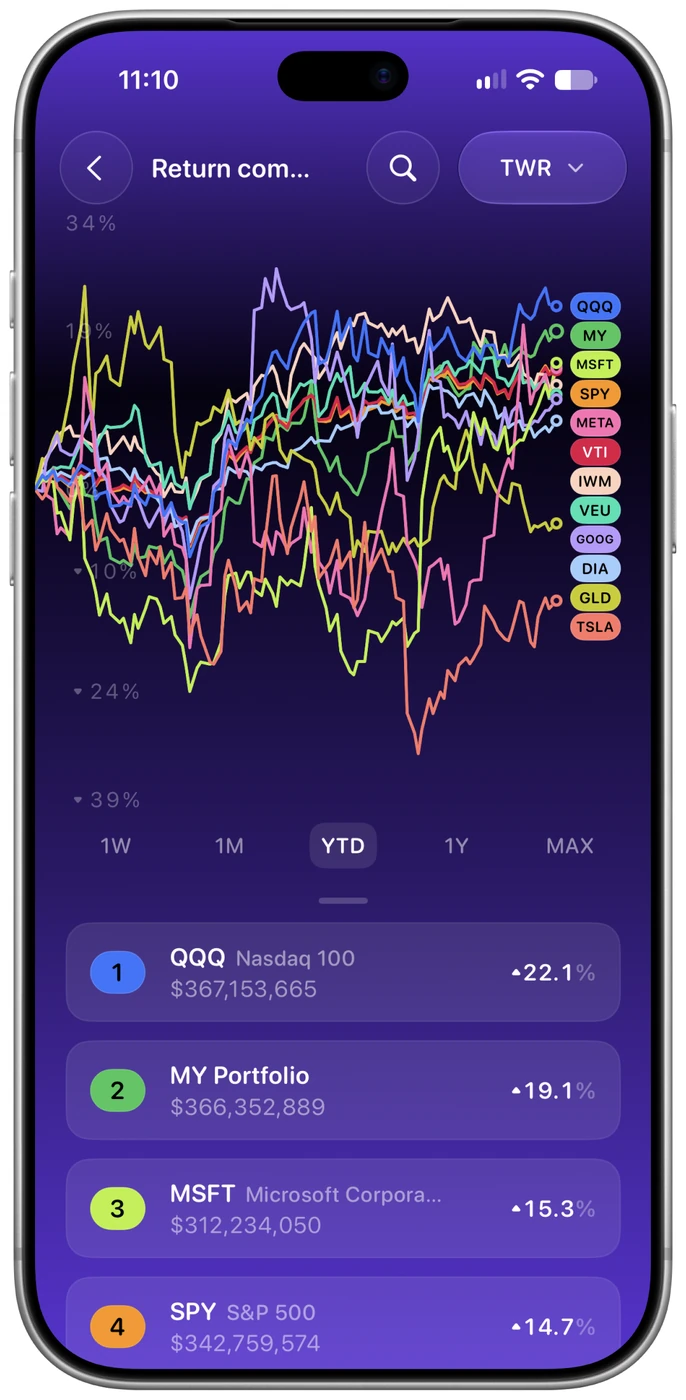
Follow returns over time. Compare with the market and look back at past periods to understand how your portfolio changes.
Calculation methods differ by view. Check dates and methodology in the app.
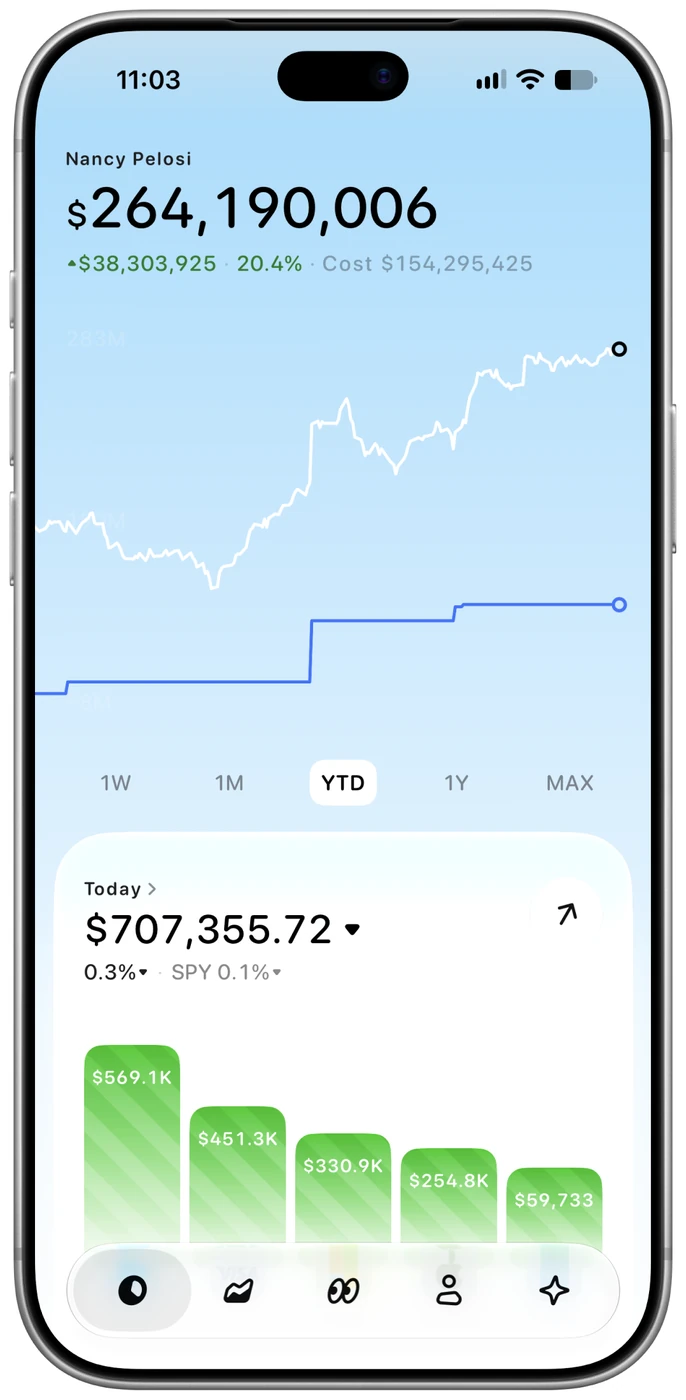
Look beyond the total. See which holdings contributed.
View leading profitable holdings as separate layers. Check the ranking to see which companies contributed.
Switch time periods, then press and drag to inspect a day and follow how each layer changes.
Hide or show holdings to focus on a company, and choose whether to display cost basis.
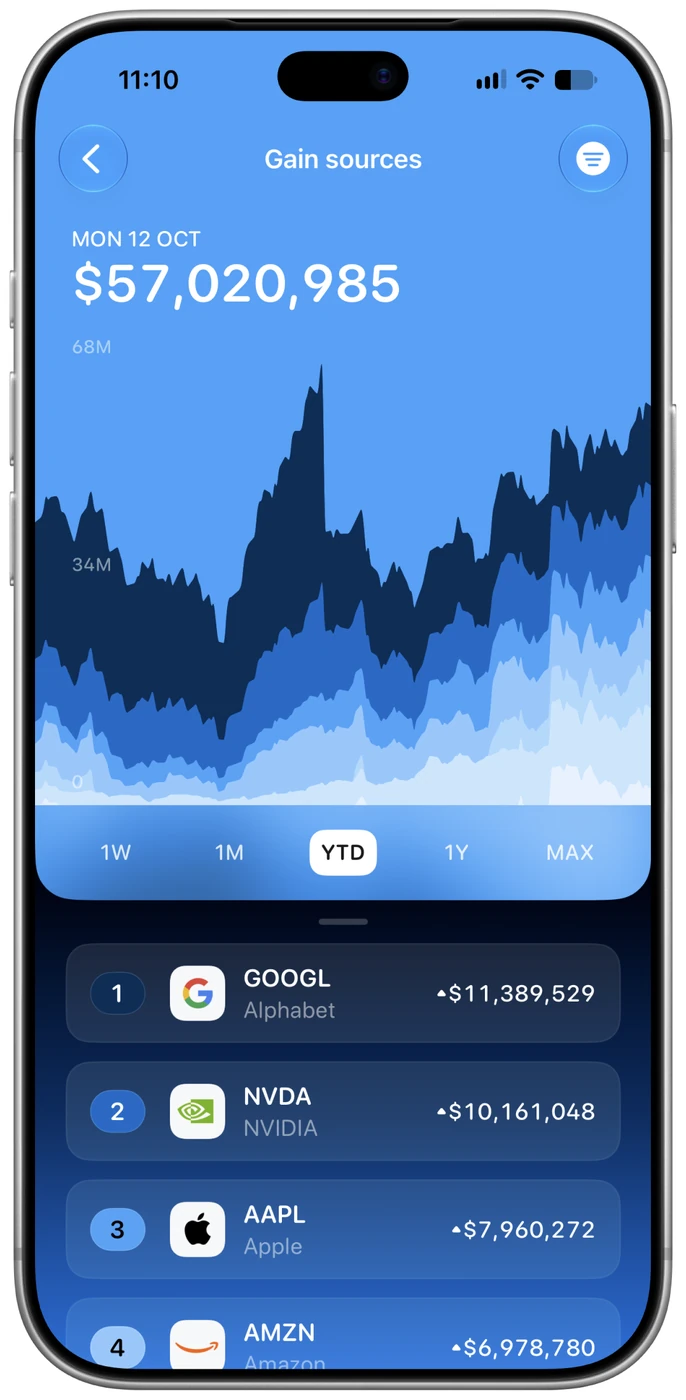
Demo portfolio shown. Gains use holding market values and costs; see the app for calculation details.
Look beyond the price.
Bring the company, expectations and market context together.
Volume profiles and options open interest add another layer to the price chart.
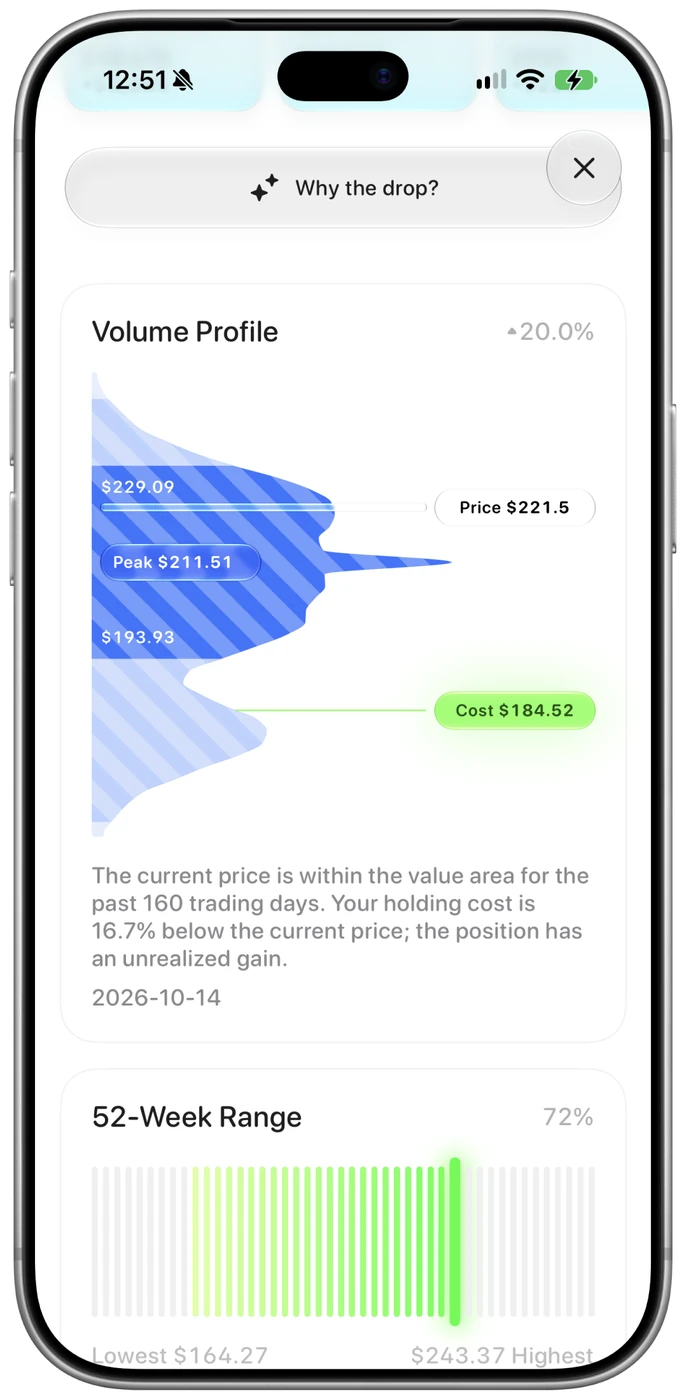
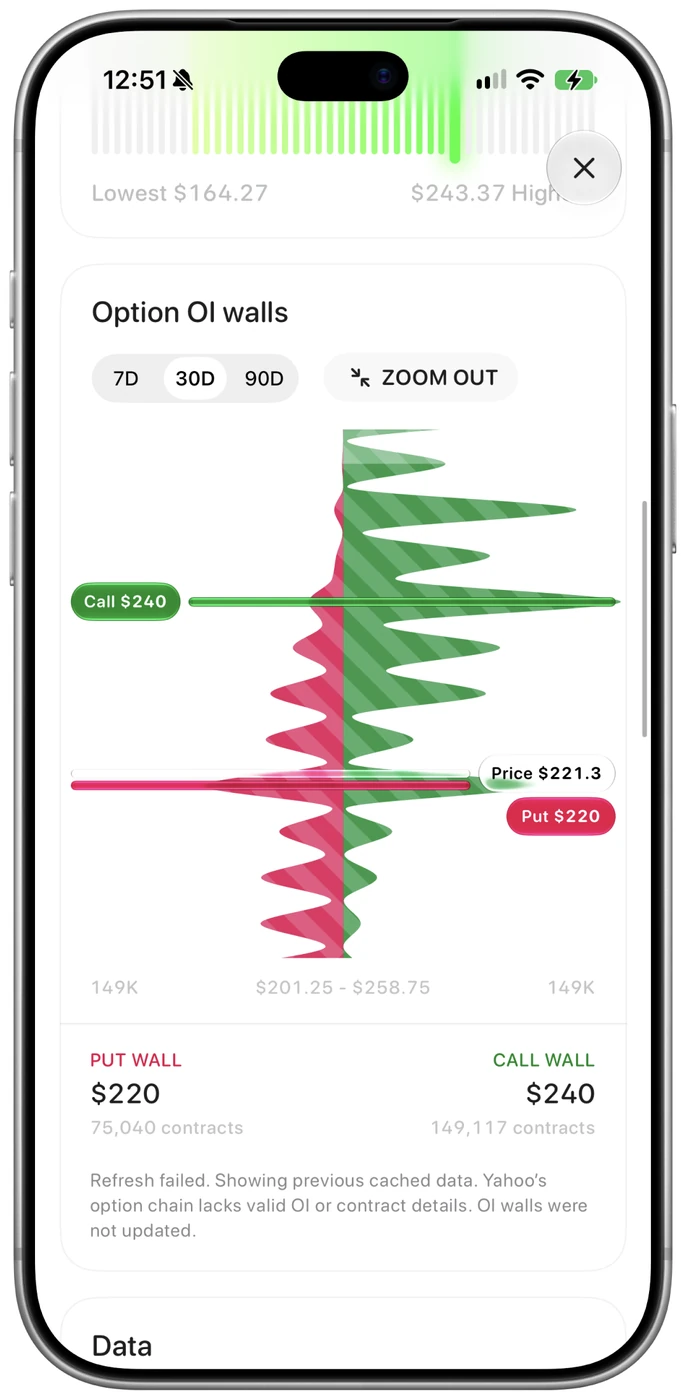
Read sourced market briefs, revisit historical analyst expectations, and keep asking questions.
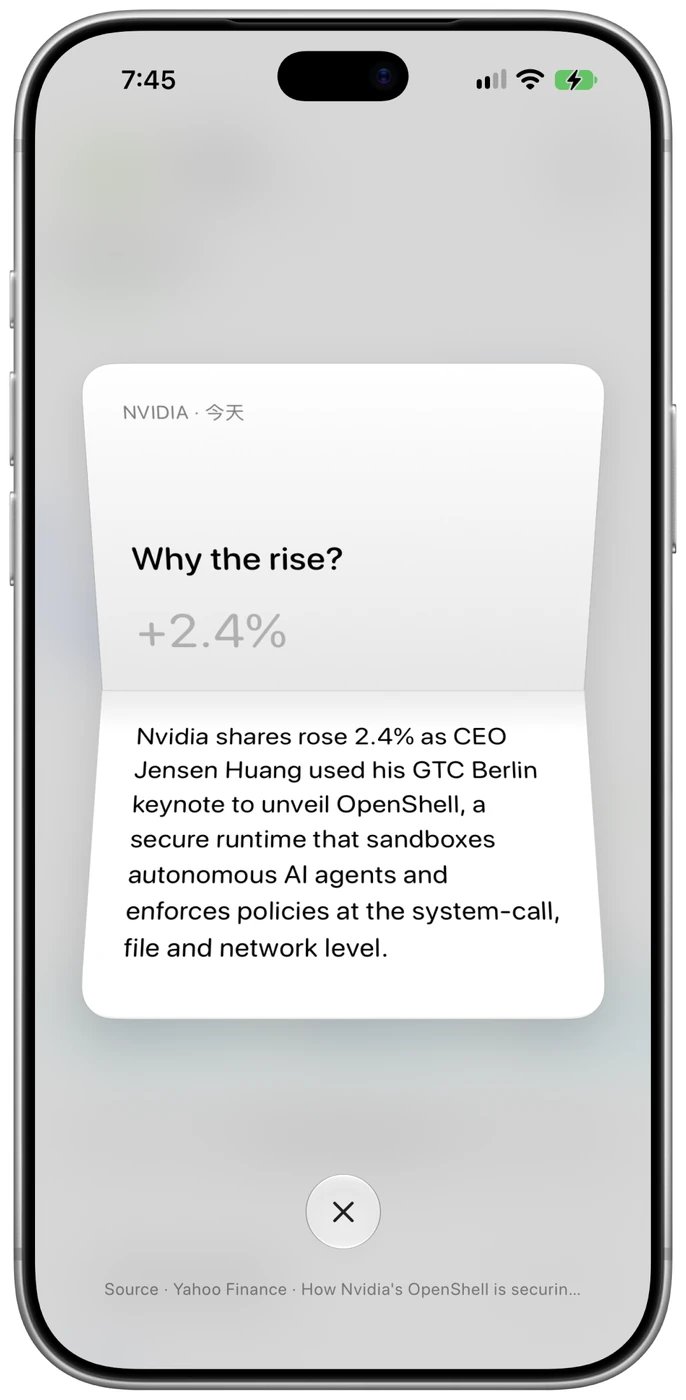
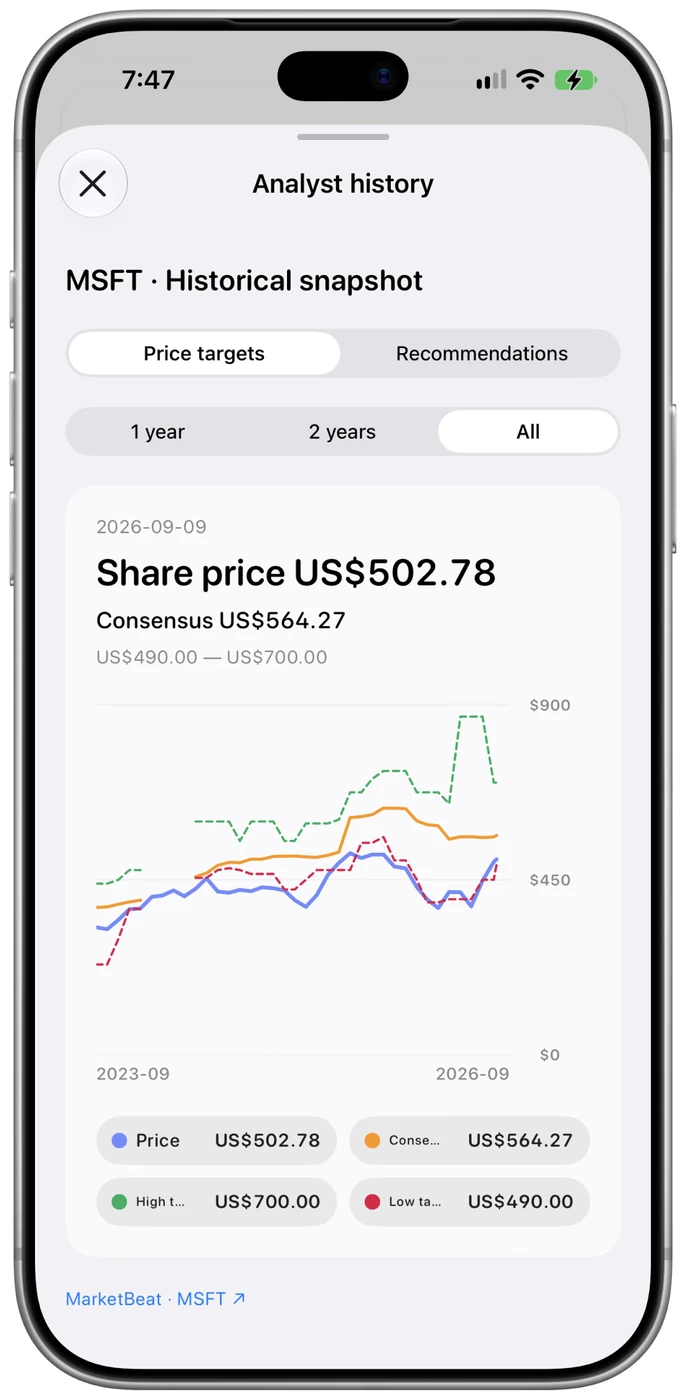
Research and AI depend on data coverage, device support and your configured services. Check original sources.
A dividend. An earnings date. A new question.
Keep the things that matter in view.
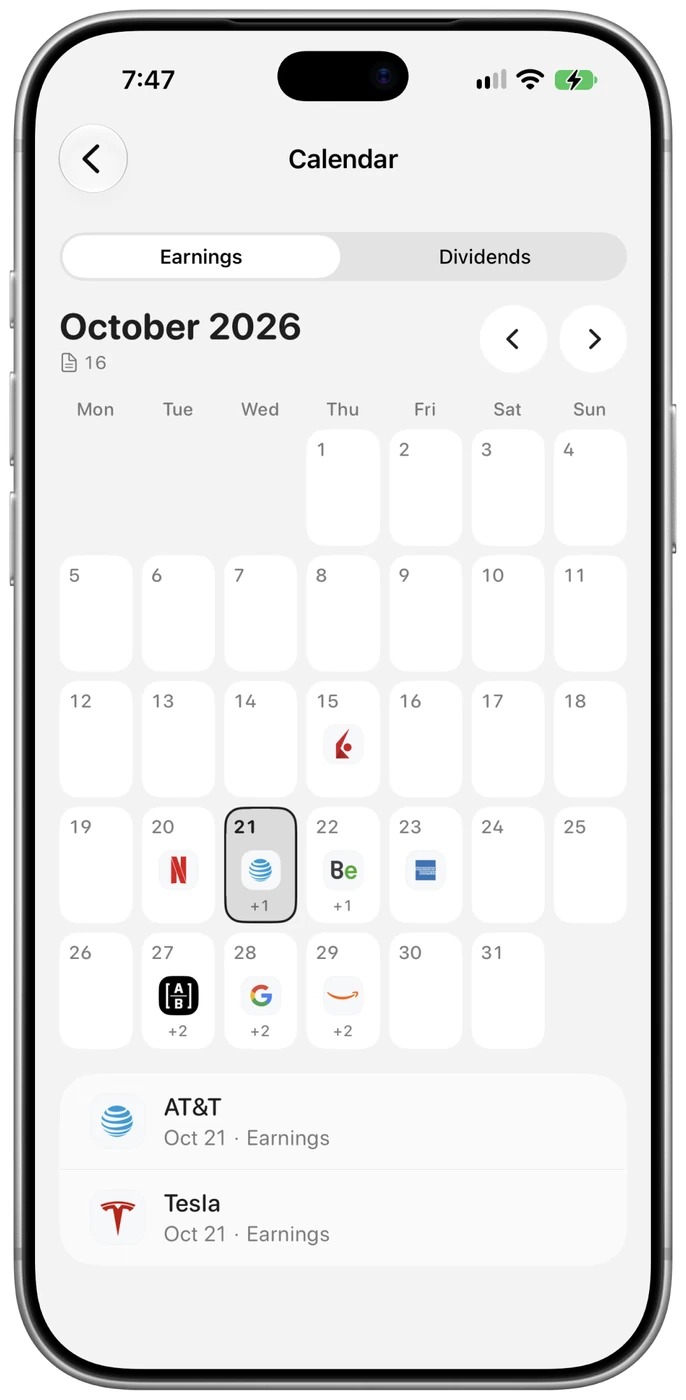
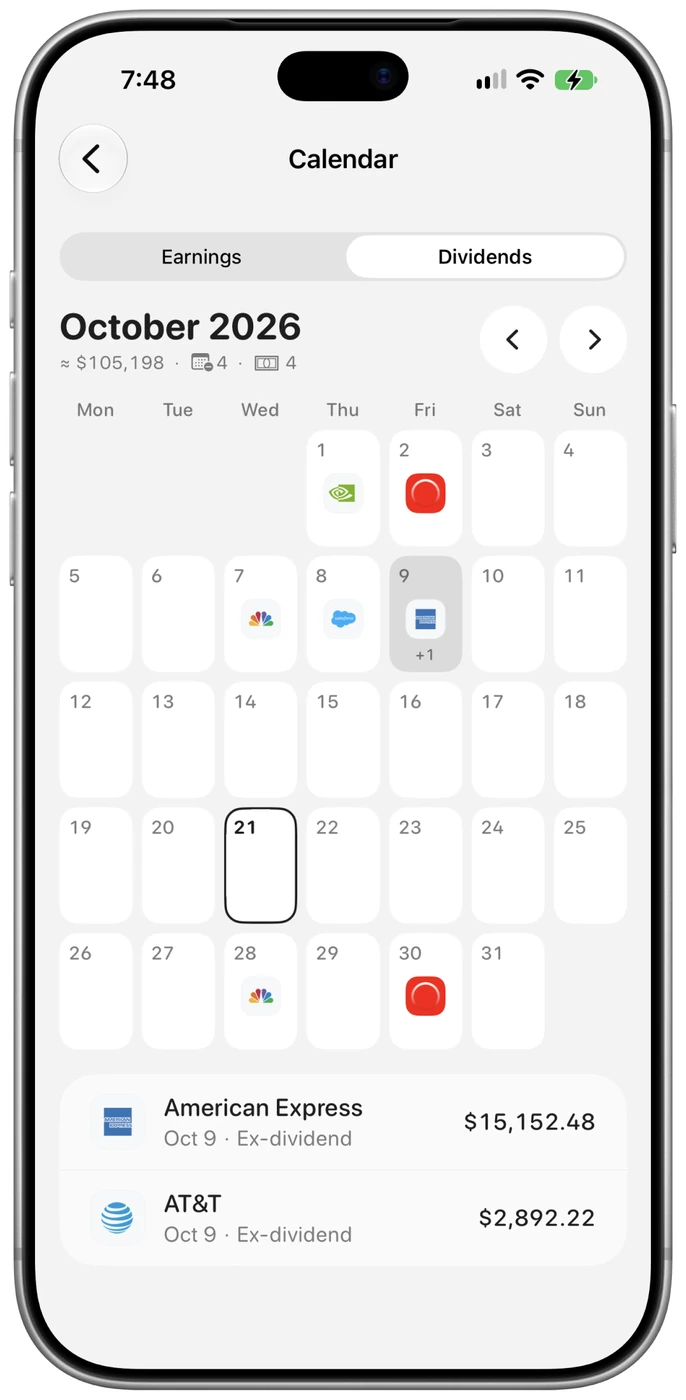
Find earnings and investment events on your calendar.
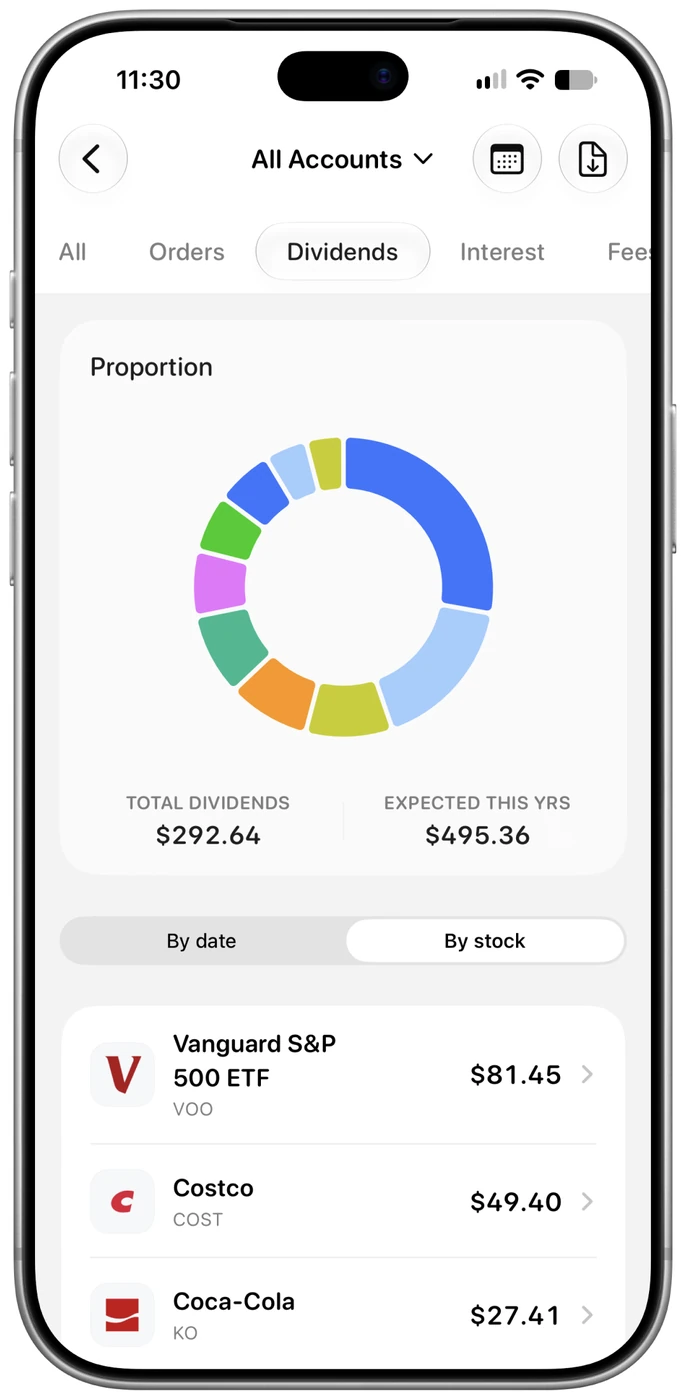
See received dividends together and revisit each payment.
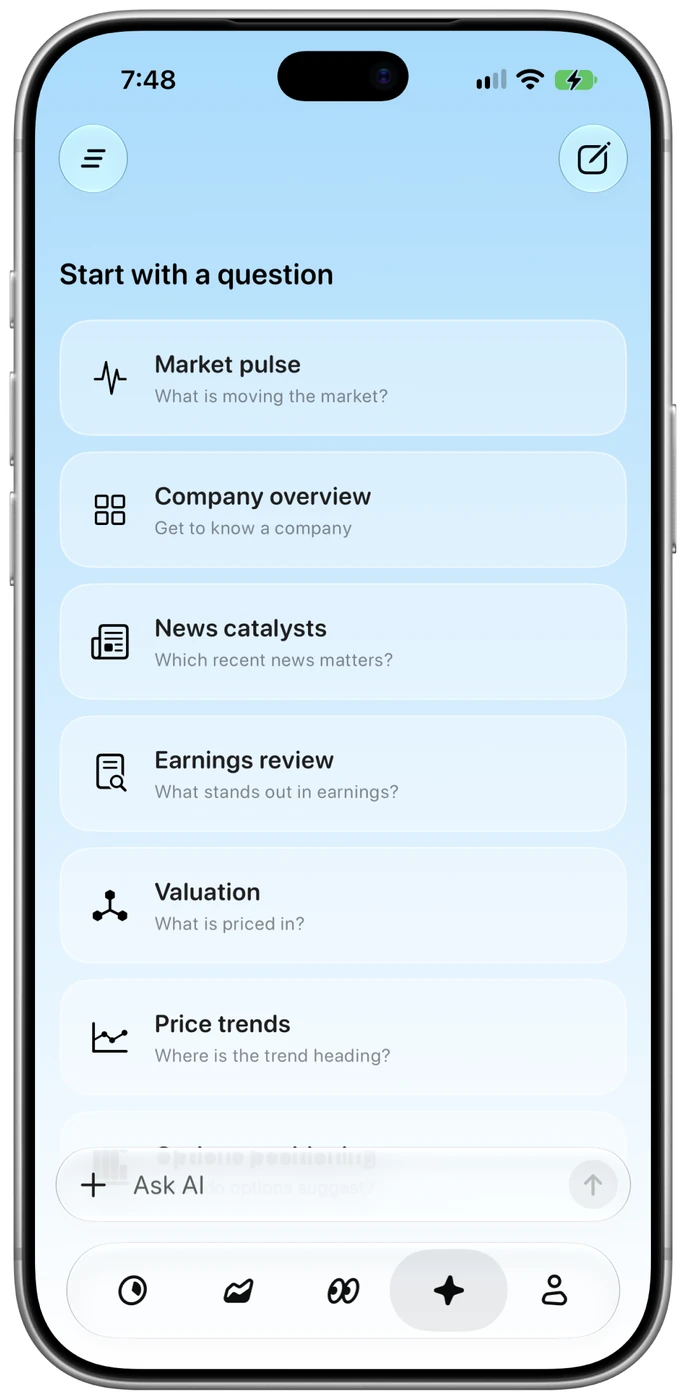
Connect your own AI and keep learning from your investments.
Light or dark. English or Chinese. Choose the appearance, currency and accounts that feel right for you.
Try both appearances with the same portfolio.
Holdings, costs, and returns are calculated on your iPhone. CSV files are parsed on-device.
Credentials stay in Keychain; you manage authorization. There are no order, cancellation, or transfer functions.
Remote AI receives the questions and relevant context you send. Preference iCloud sync excludes your portfolio ledger and broker credentials.
Hold and add a second finger; move the endpoints to measure an interval.
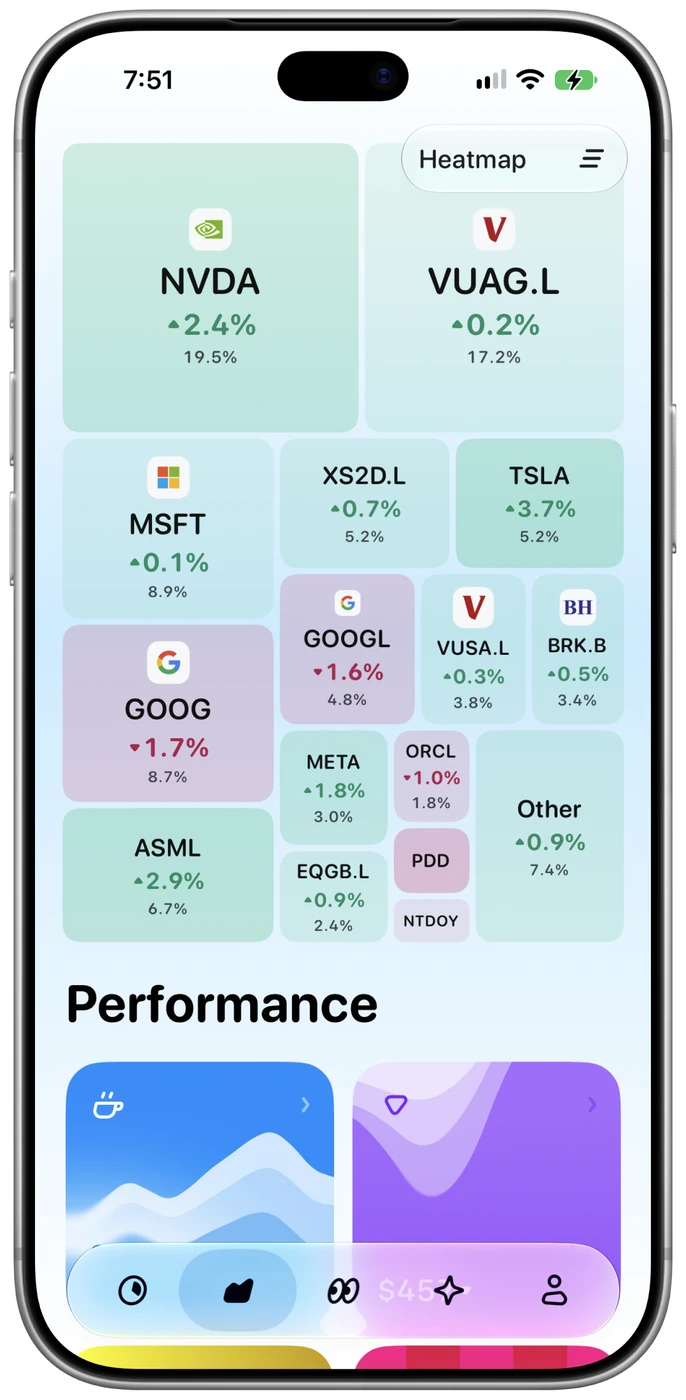
View holdings by size and color; expand to explore returns or sectors.
Review the historical contributions of your leading profitable holdings.
Compare six market indices against the S&P 500 using RRG strength and momentum.
Explore 11 US sectors with quadrant positions, weekly trails, and historical playback.
Turn an investment idea into filters, reviewable steps, and simulated results.
Review disclosed insider purchases and sales, separating active from planned trades.
Break revenue down by business or geography and compare annual shares.
Compare historical price targets and ratings with stock prices at the time.
Drag along a chart to inspect a day and its values.
Add accounts through SnapTrade Personal API or other supported methods; view holdings, value, and returns together.
See assets, net deposits, holding returns, historical charts, and individual positions.
See today’s gains and losses, broken down by sector and holding for a portfolio X-Ray.
Look through supported ETFs to their underlying holdings and identify overlap with direct positions.
Compare returns with benchmarks using TWR, MWR, or a cash-flow mirror.
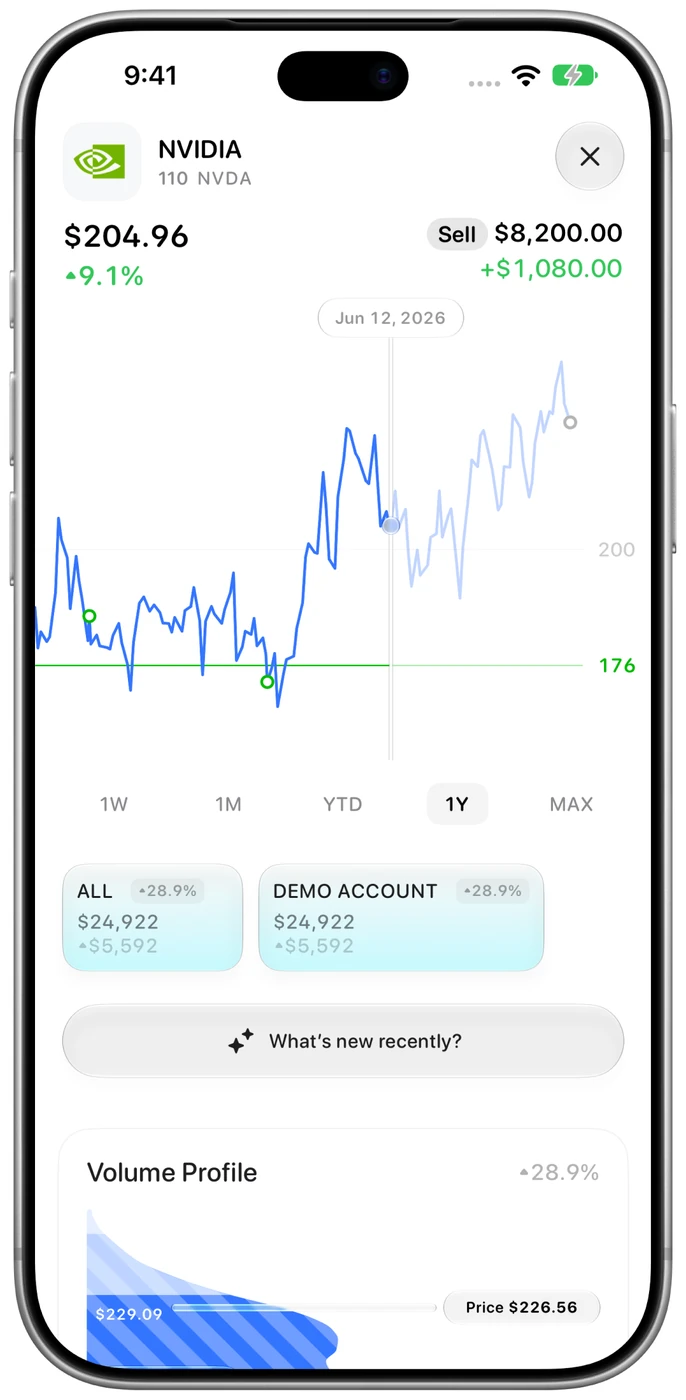
See trade markers, cost lines, holding gains and losses, and FX impact alongside prices.
Inspect volume concentrations, POC, and the 52-week range as references for support and resistance.
View call and put open interest by strike price and expiry range.
Read annual or quarterly income statements, balance sheets, and cash-flow statements.
Track market indices, VIX, US Treasury yields, and sector performance.
Review holding changes, supporting and opposing evidence, and risks to follow up.
Set financial filters with presets or natural language, then inspect why each company matches.
Assess the semiconductor sector using VXSMH volatility and SMH volume.
Connect your own AI for portfolio questions. Catfolio adds no connection fee; provider charges may apply.
Open a market and company brief from the stock chart and check its sources.
Organize trades, dividends, interest, and cash movements by account and year; export to CSV.
Inspect trade quantities, prices, amounts, and realized gains or losses.
Sum received dividends and review each payment; forecasts depend on actual company announcements.
Sum posted interest by date and account.
Estimate annual holding costs from current fund values and expense ratios.
Explore publicly disclosed investor holdings in separate simulated accounts.
Choose Chinese or English, appearance, and haptics; manage your local ledger.
Choose from nine display currencies; available FX rates update with portfolio loading for valuation.
Extract earnings-call commitments and check delivery against later results and source evidence.
Choose all, one, or several accounts for a stock to compare shares, costs, and gains or losses.
No server required. It runs on iPhone, and also on Mac and iPad.
iPhone, iPad, and Mac. iPhone requires iOS 18 or later. Some on-device AI features require iOS 26 and an Apple Intelligence-compatible device.
Currently available features are free during the launch phase. Third-party market-data and AI accounts, subscriptions and usage fees are separate. Future features and pricing may change.
Tax calculations, loss simulations and photo import are not yet available. Release dates are to be confirmed.
Catfolio on this website is the investment portfolio tracker, distinct from unrelated products with the same name.